
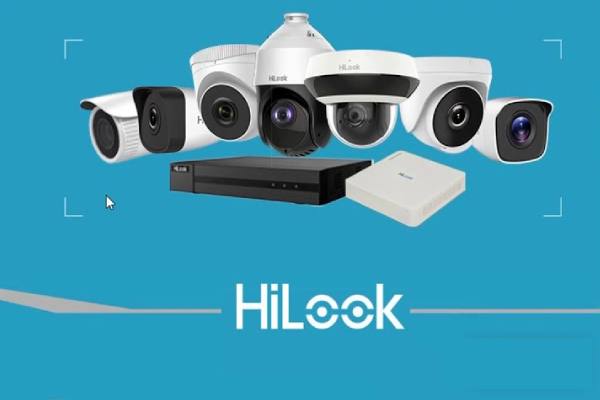
If you’ve got a security camera, you know the deal. You want to check the live feed, watch old footage, and keep an eye on things—without a headache. That’s where HiLookVision for PC comes in.
It’s simple.
It works.
And it saves you a lot of time.
What’s HiLookVision?
HiLookVision is a free app from Hikvision. It’s built to connect your CCTV or IP cameras to your phone or computer. With it, you can watch live video, replay recordings, take snapshots, and even control PTZ (pan-tilt-zoom) cameras.
Think of it as your camera’s remote control—only smarter.
Why Use HiLookVision on PC?
Sure, the mobile app is handy. But watching a tiny screen isn’t always fun. On a PC, you get:
- Bigger screen – See every detail.
- Multi-camera view – Watch multiple feeds at once.
- Better control – Use a mouse and keyboard for quick navigation.
- Stable connection – Fewer drops compared to mobile data.
Sounds good, right?
How to Download HiLookVision for PC
Here’s the thing… HiLookVision doesn’t have a direct PC app like Windows Store games. Instead, you can:
Option 1 – Use the Official Client
Hikvision offers an official PC software called iVMS-4200. It works with HiLook devices too.
- Go to Hikvision’s official site.
- Download iVMS-4200 for Windows or Mac.
- Install it.
- Add your HiLook camera details.
Boom—you’re set.
Option 2 – Use an Android Emulator
If you like the mobile app interface, you can run it on PC.
- Download an emulator like BlueStacks or LDPlayer.
- Install it on your computer.
- Open Google Play Store inside the emulator.
- Search for “HiLookVision” and install.
- Log in and start watching.
Easy, right?
Key Features You’ll Love
Here’s why people stick with HiLookVision:
- Live view – See what’s happening right now.
- Playback – Watch past recordings by date and time.
- Snapshots – Capture a still image from the live feed.
- Two-way audio – Talk and listen through supported cameras.
- PTZ control – Move your camera remotely.
Tips for Best Performance
If your video lags or freezes, try this:
- Use a wired internet connection for your PC.
- Lower the stream quality in settings.
- Keep your camera firmware updated.
- Don’t run too many apps in the background.
Little tweaks can make a huge difference.
Safety and Privacy
Let’s be honest—security apps are only as safe as you make them.
- Always set a strong password.
- Don’t share your login with strangers.
- Enable encryption in settings if available.
- Update the app regularly.
Better safe than sorry.
Who Is HiLookVision For?
Pretty much anyone with HiLook or compatible Hikvision devices.
- Home users who want to keep an eye on the front door.
- Shop owners who want 24/7 monitoring.
- Office managers who need multiple camera feeds.
If you value peace of mind, this app’s for you.
Common Problems (And Quick Fixes)
Can’t connect?
Check your camera is online and your internet works.
Video is blurry?
Switch to HD mode or clean your camera lens.
App crashes?
Update to the latest version.
See? Most issues are simple to fix.
FAQs – HiLookVision for PC
1. Is HiLookVision free for PC?
Yes. Both the mobile app and iVMS-4200 are free to download and use.
2. Can I use HiLookVision without the internet?
Only if your PC is on the same local network as your camera.
3. Does it work with non-HiLook cameras?
It might, if they’re Hikvision-compatible. But not guaranteed.
4. How many cameras can I watch at once?
With iVMS-4200, you can watch multiple feeds—up to 64 in one view.
5. Is there a Mac version?
Yes. The iVMS-4200 client works on Mac too.
6. Can I record directly on my PC?
Yes. You can save video clips from live view or playback.
Final Thoughts
HiLookVision for PC isn’t fancy. But it works.
It gives you control over your cameras without making you feel like you need an IT degree.
Whether you use the official client or run the app on an emulator, the result’s the same—you get to see exactly what’s happening, whenever you want.
So… why wait? Install it and start watching.